
 By John Arthur
If you’re shopping for a dashboard generator in 2025, you’re probably chasing the same dream as everyone else: clean KPI cards, charts that don’t look like a spreadsheet had a bad day, and a link you can send to your boss—or a client—without apologizing first.
And let’s be honest: most of the time, you don’t need a “perfect” dashboard. You need a dashboard that exists. Something you can click, filter, and react to. Something that gets you out of the “we’ll build it later” loop.
The good news is that a lot of AI builders now behave like an online free dashboard creator for your first draft. The better news? A few go further and let you publish a working dashboard as a real web app—login, data, permissions, the whole deal—so you’re not rebuilding from scratch when your “quick prototype” suddenly becomes an internal tool people depend on.
Here are 10 options worth a look, plus the little tradeoffs people only learn after they’ve already burned a weekend.
What counts as an AI dashboard generator now?
A basic dashboard generator helps you assemble the familiar building blocks: KPI tiles, charts, tables, filters, and some kind of navigation. You feed it a prompt, a template, or a dataset connection, and it gives you a structured layout with starter copy and sensible defaults.
The “AI” part usually removes the grunt work: creating sections, spacing components, naming things, and roughing in a flow. Depending on the platform, the output might be:
- A polished dashboard landing page (good for reporting updates)
- A demo-style dashboard you can click through (good for reviews)
- A deployable dashboard app with login + real data (best if you need an access dashboard builder)
That last category matters more than people expect. Dashboards have a habit of growing up fast. Today it’s “just for leadership.” Next month it’s “can we give sales access but hide finance?” And now you’re talking permissions and databases whether you like it or not.
1) YouWare — Prompt-to-Dashboard, then ship it as a real app
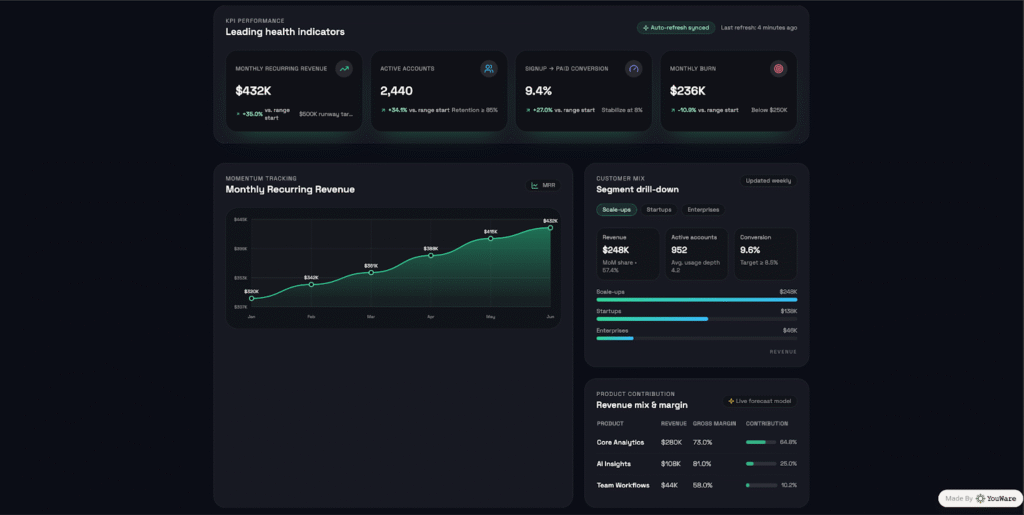
If you want a dashboard generator that produces something interactive and deployable—something that feels like software, not a pretty mock—YouWare is the one I’d start with.
You describe the dashboard in natural language: pages, KPIs, charts, filters, user roles. YouWare’s AI agent designs it, writes the code, and deploys it. Then you get a shareable URL you can send immediately. No “install this,” no “open the file,” no “here’s a screen recording.”
Why YouWare works unusually well for dashboards
Dashboards live and die by iteration. People see the first version and instantly request changes: “Make the chart bigger,” “Add a region filter,” “Can we track weekly instead of monthly?” YouWare leans into that reality:
- Visual Editing lets you tweak the UI directly on the canvas. So you can nudge layout, copy, and components without spiraling into prompt rewrites.
- Boost helps you polish fast—typography, spacing, overall visual rhythm—so the dashboard looks credible in a meeting.
- Auto-fix catches issues and tries to resolve them during creation, which saves time when you’re moving quickly.
- Credit Care gives you a safety net when an output misses the mark. That matters if you’re experimenting a lot.
And here’s the biggest reason YouWare feels like more than a “dashboard generator”: YouBase. If your dashboard needs login, permission control, or data storage, YouBase modules (like Auth and Database) give you a straightforward path from “draft dashboard” to “usable internal tool.” That’s what makes it an access dashboard builder, not just a layout machine.
A simple flow that actually holds up in real life
- Write a prompt with your KPIs, chart types, filters, and roles (“Admin can see all; Sales sees their region only”).
- Generate the project.
- Fix the obvious stuff on canvas with Visual Editing.
- Hit Boost when you want it to look “ready.”
- Publish and share the link.
- Turn on YouBase if you need login, permissions, and stored data.
One honest tradeoff: YouWare rewards specificity. “Make me a revenue dashboard” is fine, but “Revenue by region, weekly trend line, top 10 SKUs table, filter by channel, role-based access” gets you a stronger first draft. Is that annoying? Maybe. But it’s also how dashboard projects work anyway—clarity beats vibes once the dashboard hits real users.
2) Webflow — Strong for structured dashboard pages
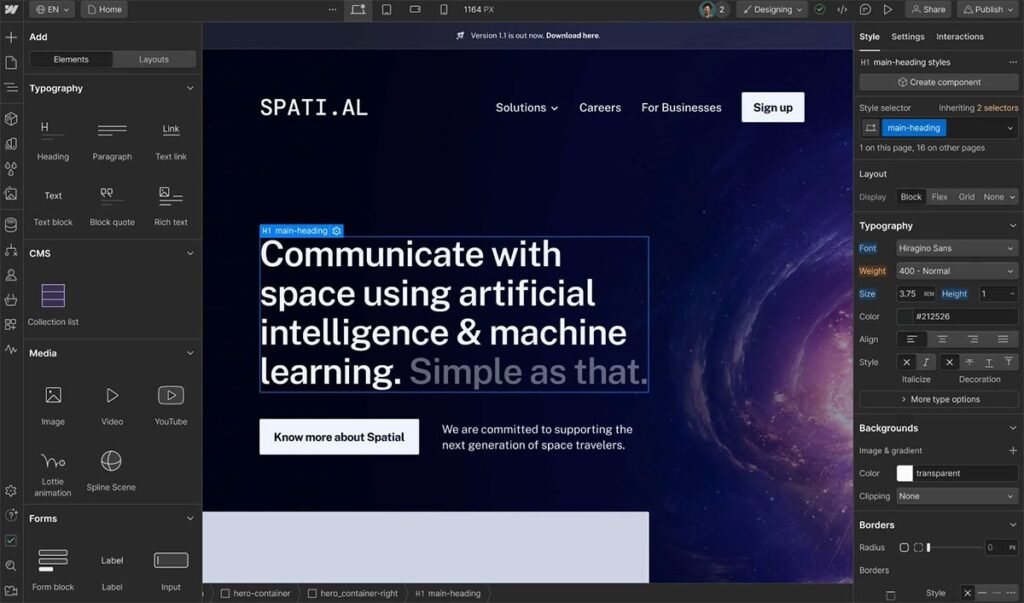
Webflow is great when your “dashboard” is really a clean reporting page: sections, charts embedded from BI tools, stakeholder-friendly layouts, and a site that looks professional. It’s less about deep interactivity, more about polished presentation.
3) Wix — Fast site generation with built-in analytics flavor
Wix can crank out a site from a conversational prompt and then let you customize. If your dashboard overlaps with “site + reporting,” Wix can feel convenient. Just don’t expect it to behave like a full internal tool without extra work.
4) Squarespace — Executive-friendly pages, minimal fuss
Squarespace tends to produce calm, clean pages quickly. If you want a simple KPI hub with embedded charts—something you’d email to leadership without wincing—it’s a strong option. For complex filters and app logic, you’ll hit limits.
5) WordPress.com AI Builder — “dashboard generator free-ish” with plugins
WordPress remains the classic move when you want a fast draft plus a massive plugin ecosystem. You can piece together analytics embeds, admin themes, portals, and reporting pages. It’s flexible, but you’ll spend time choosing and maintaining plugins.
6) Framer — Beautiful dashboard shells, very quick
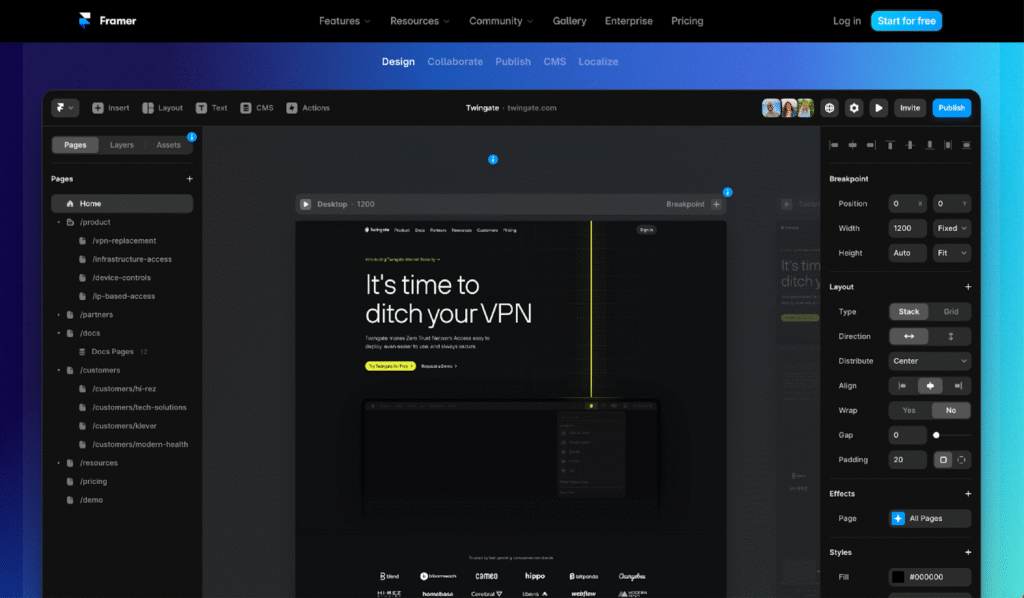
Framer is fantastic for making a dashboard landing page look modern fast. If you need deeper data logic, you’ll often pair Framer with embeds or external tools. Think “presentation layer with style,” not “data engine.”
7) Hostinger AI Website Builder — Simple dashboards for small teams
Hostinger’s AI builder aims for speed: generate a site from a description and get something live without ceremony. It works for basic KPI/report pages. Once you need real permissions, workflows, or data rules, it starts feeling thin.
8) Durable — Ridiculously fast first draft
Durable is the “I need something now” option. It’s great when you want a dashboard-style page with sections and placeholders to share immediately. You won’t build a complex interactive dashboard app here, but for a quick draft? It’s shockingly effective.
9) Shopify — The obvious pick for commerce dashboards
If your dashboard is about commerce performance—sales, traffic, customers—Shopify’s built-in analytics dashboards live where the data already is. It’s not a general-purpose dashboard generator, but in its lane, it’s hard to beat.
10) Bubble — No-code dashboards that can become real products
Bubble is for people who want a true app builder. You can create workflows, connect databases, build internal tools, and ship interactive dashboards. The tradeoff is learning curve. Bubble gives you power, but it asks you to pay attention.
Why use an AI dashboard generator instead of building manually?
Because manual dashboard building is where time goes to disappear.
A good AI-assisted dashboard generator helps you:
- Ship a draft in minutes, not days
- Try multiple layouts instead of debating one layout forever
- Share links early (stakeholders respond to working pages, not screenshots)
- Reduce handoff churn between design, dev, and “random requests”
- Add access + data later when the dashboard turns into an actual tool
And yes, many platforms can act as a dashboard generator free starting point if you keep the first version simple. The trick is choosing a tool that won’t trap you in “pretty but dead” pages if your dashboard needs to grow.
Pick the dashboard type before you pick the tool
If you mainly need a polished KPI page—structured sections, charts, embeds—AI website builders like Webflow, Wix, Squarespace, Framer, WordPress, Hostinger, and Durable can work like an online free dashboard creator for version one.
If you need a dashboard you can deploy, share, and evolve into a login-protected app with real data and permissions, start with YouWare. You’ll move faster now, and you’ll save yourself the rebuild later—when “just a dashboard” turns into something people rely on every morning.